 fastqrjs
fastqrjs
Fast QR code generation in JavaScript with native Node.js bindings, WebAssembly support, and advanced styling options.
Features
- Dual runtime support: Native bindings for Node.js, WASM for browsers and edge runtimes
- Unified API: Single
generateSvg()function handles both simple and styled QR codes - Advanced styling: Custom dot shapes, gradients, corner patterns, and image overlays
- Multiple output formats: SVG, PNG, matrix data, Unicode, base64 data URI
- Two browser payloads: A compact PNG/data build and a complete styled build
- High performance: Up to 50× faster than pure JavaScript alternatives for PNG generation
- Zero dependencies: Self-contained with optimized PNG encoder
[!WARNING] Experimental — This library is under active development. APIs may change between versions, and edge cases may not be handled correctly. Not recommended for production use yet.
Installation
npm install fastqrjs
# or
yarn add fastqrjs
# or
bun add fastqrjs
Quick Start
Unified SVG API (Recommended)
The generateSvg() function handles everything from simple black-and-white QR codes to fully styled ones with gradients and custom shapes:
import { generateSvg, generateDataUri, generateQRMatrix } from "fastqrjs";

// Simple SVG (default square modules, black/white)
const svg = await generateSvg("https://fastqrjs.com");

// With basic styling (colors and shapes)
const styledSvg = await generateSvg("https://fastqrjs.com", {
  shape: "rounded", // 'square' | 'circle' | 'rounded'
  color: { dark: "#1a73e8", light: "#f8f9fa" },
  margin: 4,
});

// With advanced styling (gradients, custom corners, images)
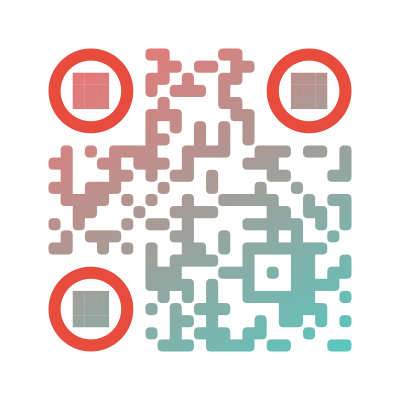
const fancySvg = await generateSvg("https://fastqrjs.com", {
  width: 400,
  dots: {
    type: "rounded",
    color: {
      type: "linear",
      rotation: 45,
      colorStops: [
        { offset: 0, color: "#FF6B6B" },
        { offset: 1, color: "#4ECDC4" },
      ],
    },
  },
  cornersSquare: {
    type: "dot",
    color: "#e74c3c",
  },
  background: {
    color: "#ffffff",
    round: 0.1,
  },
});

// PNG as base64 data URI for <img> tags
const dataUri = await generateDataUri("https://fastqrjs.com", {
  scale: 10,
  color: { dark: "#000000", light: "#ffffff" },
});

// Raw matrix data for custom rendering
const matrix = await generateQRMatrix("Hello World");
Compact PNG and Worker API
Use fastqrjs/smol when a browser or worker only needs PNG, matrix data, or
Unicode output. This entry never pulls the SVG or styled renderer into its
module graph.
import {
  generatePng,
  generateDataUri,
  generateQRMatrix,
  generateQRData,
  generateQRUnicode,
} from "fastqrjs/smol";

const png = await generatePng("https://fastqrjs.com", { scale: 4 });
const matrix = await generateQRMatrix("https://fastqrjs.com");
Use fastqrjs/styled when a browser only needs simple or styled SVG output:
import { generateSvg } from "fastqrjs/styled";

const svg = await generateSvg("https://fastqrjs.com", {
  dots: { type: "rounded" },
});
The default fastqrjs export and the explicit fastqrjs/full export provide
the complete API by composing both builds. Node.js and Bun use native bindings
when available and compose the two filesystem-based WASM fallbacks otherwise.
In browsers, import fastqrjs/smol or fastqrjs/styled directly when payload
size matters. A root import can cause Vite to emit both WASM assets even when
JavaScript tree-shaking removes the unused implementation, because Vite
discovers new URL(..., import.meta.url) assets before its final tree-shaking
pass.
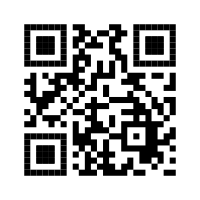
Output Examples:
| Simple | Styled | Fancy (Gradient) |
|---|---|---|
 |
 |
 |
Direct Native Bindings (Node.js only)
For maximum performance with synchronous APIs:
The install automatically selects an optional native package on Linux glibc (x64 or ARM64) and macOS Apple Silicon. Other targets do not fail installation: npm skips the incompatible optional packages and the unified API falls back to WASM.
import {
  generateQrSvg,
  generateQrStyledSvg,
  generateQrPng,
  generateQrPngDataUri,
  generateQrMatrix,
} from "fastqrjs/napi";

// All functions are synchronous
const svg = generateQrSvg("https://fastqrjs.com", { shape: "square" });
const styledSvg = generateQrStyledSvg("https://fastqrjs.com", {
  dotsType: "rounded",
});
const pngBytes = generateQrPng("Hello World", { scale: 10 });
const dataUri = generateQrPngDataUri("Hello World", { scale: 10 });
const matrix = generateQrMatrix("Hello World");
Direct WASM
The raw bindings are available for advanced integrations. fastqrjs/wasm
remains an alias for the complete build.
import init, {
  generate_qr_svg,
  generate_qr_styled_svg,
  generate_qr_matrix,
} from "fastqrjs/wasm/full";

await init();

const svg = generate_qr_svg("https://fastqrjs.com", wasmOptions);
const styledSvg = generate_qr_styled_svg("https://fastqrjs.com", styledOptions);
const matrix = generate_qr_matrix("Hello World");
For the compact raw build:
import init, {
  PngOptions,
  generate_qr_png,
  generate_qr_matrix,
  generate_qr_unicode,
} from "fastqrjs/wasm/smol";

await init();
const png = generate_qr_png("Hello World", new PngOptions());
The raw entries use the standard wasm-bindgen browser initializer. In Node.js,
prefer the high-level fastqrjs or fastqrjs/smol entry, which selects native
code and provides a filesystem-based WASM fallback automatically.
API Reference
SVG Generation (generateSvg)
The unified SVG API automatically uses the appropriate backend based on your options.
Simple Mode
For basic QR codes with colors and simple shapes:
const svg = await generateSvg("https://fastqrjs.com", {
  width: 200, // Output width in pixels
  height: 200, // Output height in pixels
  margin: 4, // Quiet zone margin in modules (default: 4)
  shape: "rounded", // 'square' | 'circle' | 'rounded'
  ecl: "M", // Error correction: 'L' | 'M' | 'Q' | 'H'
  version: 5, // QR version 1-40 (auto-selected if not specified)
  mask: 0, // Mask pattern 0-7 (auto-selected if not specified)
  color: {
    dark: "#000000", // Hex color for dark modules
    light: "#ffffff", // Hex color for light modules
  },
});
Advanced Mode
When you provide dots, cornersSquare, cornersDot, background.round, or image options, the API automatically switches to styled mode:
const svg = await generateSvg("https://fastqrjs.com", {
  width: 400,
  height: 400,
  margin: 20,

  // Dot styling (enables styled mode)
  dots: {
    type: "square" | "square-rounded" | "rounded" | "dots",
    color:
      "#000000" |
      {
        type: "linear" | "radial",
        rotation: 45, // For linear gradients (degrees)
        colorStops: [
          { offset: 0, color: "#FF6B6B" },
          { offset: 1, color: "#4ECDC4" },
        ],
      },
  },

  // Corner square styling (finder patterns)
  cornersSquare: {
    type: "square" | "rounded" | "dot",
    color: "#000000",
  },

  // Corner dot styling (inner finder pattern)
  cornersDot: {
    type: "square" | "dot",
    color: "#000000",
  },

  // Background styling
  background: {
    color: "#ffffff",
    round: 0.1, // Border radius (0.0 to 1.0)
  },

  // Image overlay
  image: {
    source: "https://fastqrjs.com/logo.png", // URL or base64
    size: 0.4, // Size as fraction of QR code (0.0 to 1.0)
    margin: 0, // Margin around image
  },
});
How it works:
- If you only use
shapeand/orcolor, you get the fast simple SVG mode - If you use
dots,cornersSquare,cornersDot,background.round, orimage, you get the full styled SVG mode
PNG Generation (generatePng)
const pngBytes = await generatePng("https://fastqrjs.com", {
  scale: 10, // Pixel scale per module (default: 10)
  width: 300, // Target width in pixels (calculates scale automatically)
  quietZone: 4, // Quiet zone margin in modules (default: 4)
  ecl: "M", // Error correction level
  version: 5, // QR version 1-40
  mask: 0, // Mask pattern 0-7
  color: {
    dark: "#000000", // Hex color (uses RGB mode when specified)
    light: "#ffffff", // Hex color (uses RGB mode when specified)
  },
});

// Save to file (Node.js)
import { writeFileSync } from "fs";
writeFileSync("qr.png", Buffer.from(pngBytes));
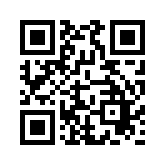
PNG Examples (Different Scales):
| Scale 1 (29×29px) | Scale 5 (145×145px) |
|---|---|
 |
 |
Optimization: Automatically uses fast 1-bit grayscale for black & white at scale=1, switches to RGB when colors are specified or scale > 1.
Base64 Data URI (generateDataUri)
Generates PNG as base64 data URI, ready for <img> tags.
const dataUri = await generateDataUri('https://fastqrjs.com', {
  scale: 10,
  color: { dark: '#000000', light: '#ffffff' }
});

// Use directly in HTML
<img src={dataUri} alt="QR Code" />
Matrix Data (generateQRMatrix)
Returns 2D boolean array for custom rendering.
const matrix = await generateQRMatrix("Hello World");
// matrix[y][x] = true/false

// Example: Render to canvas
const canvas = document.getElementById("canvas");
const ctx = canvas.getContext("2d");
const moduleSize = canvas.width / matrix.length;

for (let y = 0; y < matrix.length; y++) {
  for (let x = 0; x < matrix.length; x++) {
    ctx.fillStyle = matrix[y][x] ? "#000" : "#fff";
    ctx.fillRect(x * moduleSize, y * moduleSize, moduleSize, moduleSize);
  }
}
Flat Data Array (generateQRData)
Returns 1D boolean array (row-major order).
const data = await generateQRData("Hello World");
// data is boolean[] where index = y * size + x
Unicode/Terminal (generateQRUnicode)
Returns Unicode block characters for terminal display.
const unicode = await generateQRUnicode("Hello World");
console.log(unicode); // Prints QR code in terminal
Terminal Output Preview:
▄▄▄▄▄▄▄▄▄▄▄▄▄▄▄▄▄▄▄▄▄▄▄
█ ▄▄▄▄▄ █▄ ▄ ██ ▄▄▄▄▄ █
█ █   █ █ ▄▄█ █ █   █ █
█ █▄▄▄█ █▀▄█▄██ █▄▄▄█ █
█▄▄▄▄▄▄▄█ █▄▀▄█▄▄▄▄▄▄▄█
█▀ █ ▀ ▄▄▄▀  ▀▄  ▀▄▄▀ █
██▀█▄█▀▄█▀ ▀▄ █▀▄▀ ▄▀ █
█▄██▄█▄▄▄▀▀   ▄█▄ █▀███
█ ▄▄▄▄▄ █ ▀▄▄▀█▄ ▄▄▄▄▀█
█ █   █ █▀▄▀██▄█▀▀▀▀ ▀█
█ █▄▄▄█ █▀█ ▀▄▀▄█▄█▄█▄█
█▄▄▄▄▄▄▄███▄█▄█▄▄█▄█▄██
Options
Error Correction Levels
| Level | Recovery | Description |
|---|---|---|
L (Low) |
~7% | Minimal redundancy, smallest QR size |
M (Medium) |
~15% | Default level, good balance |
Q (Quartile) |
~25% | Higher redundancy |
H (High) |
~30% | Maximum redundancy, largest QR size |
const svg = await generateSvg("https://fastqrjs.com", {
  ecl: "H", // 30% error recovery
});
QR Code Versions
Versions range from 1 to 40, determining the QR code's size and data capacity:
- Version 1: 21×21 modules
- Version 40: 177×177 modules
By default, the minimum version needed for your data is automatically selected.
const svg = await generateSvg("Small text", {
  version: 5, // Force 37×37 modules
});
Simple Module Shapes
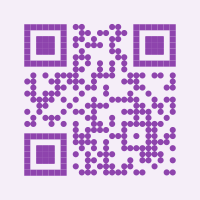
square(default): Traditional square modulescircle: Circular modulesrounded: Rounded square modules (SVG only)
const svg = await generateSvg("https://fastqrjs.com", {
  shape: "rounded", // or 'circle' or 'square'
});
Shape Examples:
| Square | Circle | Rounded |
|---|---|---|
 |
 |
 |
Advanced Dot Types
Available when using styled mode (via dots option):
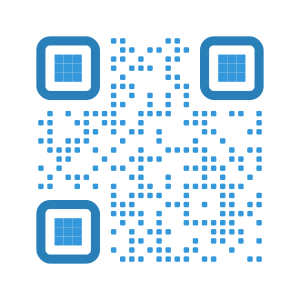
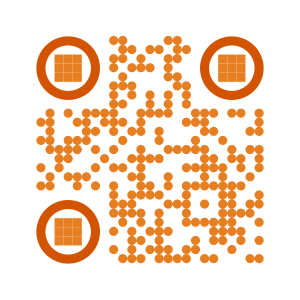
square: Traditional square dotssquare-rounded: Rounded square cornersrounded: Fully rounded dotsdots: Circular dots
const svg = await generateSvg("https://fastqrjs.com", {
  dots: { type: "rounded" },
});
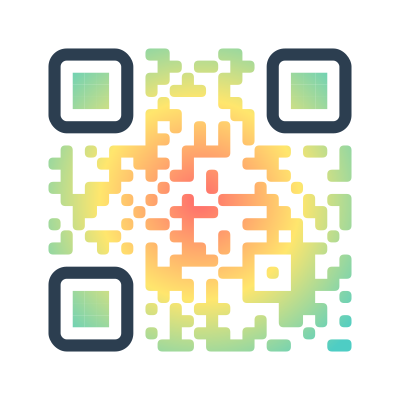
Dot Type Examples:
| Square-Rounded | Dots | Radial Gradient |
|---|---|---|
 |
 |
 |
Colors
Supports hex colors in #RGB, #RRGGBB, or #RRGGBBAA format:
const svg = await generateSvg("https://fastqrjs.com", {
  color: {
    dark: "#1a73e8", // Blue modules
    light: "#f8f9fa", // Light gray background
  },
});
When colors are specified for PNG output, the encoder automatically switches to RGB mode.
Mask Patterns
8 mask patterns (0-7) can be specified or auto-selected for optimal data distribution:
const svg = await generateSvg("https://fastqrjs.com", {
  mask: 3, // Force mask pattern 3
});
Gradients
Styled mode supports linear and radial gradients:
const svg = await generateSvg("https://fastqrjs.com", {
  dots: {
    color: {
      type: "linear", // or 'radial'
      rotation: 45, // Degrees for linear gradients
      colorStops: [
        { offset: 0, color: "#FF6B6B" },
        { offset: 0.5, color: "#FFE66D" },
        { offset: 1, color: "#4ECDC4" },
      ],
    },
  },
});
Encoding Modes
The underlying fast_qr library automatically detects and uses the most efficient encoding mode:
- Numeric: Digits 0-9 only (most compact)
- Alphanumeric: 0-9, A-Z, space, and special characters `$%*./:+-?.=``
- Byte: Any data including UTF-8 and binary (most flexible)
// Auto-detects Numeric mode (compact)
await generateSvg("1234567890");

// Auto-detects Alphanumeric mode
await generateSvg("HELLO WORLD 123");

// Auto-detects Byte mode (handles UTF-8, emojis, etc.)
await generateSvg("Hello 🌍 世界");
JPEG/WebP Output
For JPEG or WebP formats, use the SVG output with a conversion library:
import { generateSvg } from "fastqrjs";
import { Resvg } from "@resvg/resvg-js"; // or similar

const svg = await generateSvg("https://fastqrjs.com");
const resvg = new Resvg(svg);
const pngData = resvg.render();
// Convert PNG to JPEG/WebP with sharp, canvas, etc.
Platform Support
Node.js
- Native bindings: Best performance via NAPI-RS
- WASM fallback: Available if native module fails to load
- Requires: Node.js 14+
Browsers
- WebAssembly: Choose the compact PNG/data build or complete styled build
- No dependencies: Self-contained
- Works in: All modern browsers (Chrome, Firefox, Safari, Edge)
Performance
All benchmarks run on Apple M1 Pro, Bun 1.3.14 runtime.
Native Bindings (NAPI) Benchmarks
| Operation | Average Time | Notes |
|---|---|---|
| SVG Generation | ||
| Simple (basic shapes/colors) | 43-69 µs | Fast path for simple styling |
| Styled (advanced) | 45-129 µs | With gradients, corners, etc. |
| PNG Generation | ||
| Scale 1 (1-bit B/W) | 45 µs | Fastest - 1-bit grayscale |
| Scale 10 | 682 µs | 290×290px typical output |
| Scale 20 | 2.51 ms | 580×580px |
| Scale 50 | 15.3 ms | 1450×1450px large output |
| Colored RGB scale 10 | 2.22 ms | Custom dark/light colors |
| Colored RGB scale 20 | 8.28 ms | Custom colors at scale 20 |
| Data Operations | ||
| Matrix (2D array) | 55 µs | For custom rendering |
| Data (flat array) | 53 µs | Row-major boolean array |
| Unicode/Terminal | 46 µs | Block character output |
| Data URI | ||
| PNG to base64 | 721 µs | Ready for <img> tags |
vs qrcode npm package (Pure JavaScript)
| Operation | fastqrjs (native) | qrcode (npm) | Speedup |
|---|---|---|---|
| SVG | 45 µs | 102 µs | 2.3× faster |
| PNG Buffer | 359 µs | 2.85 ms | 7.9× faster |
| Data URI | 370 µs | 2.96 ms | 8.0× faster |
PNG comparison uses ~200px output (width: 200, quietZone: 4 on both). scale: 20 is a 660px image, not 200px.
PNG Scale Comparison: fastqrjs vs qrcode
| Scale | fastqrjs (native) | qrcode (npm) | Speedup |
|---|---|---|---|
| 1 (29×29px) | 42 µs | 1.29 ms | 31× faster |
| 4 (116×116px) | 264 µs | 1.61 ms | 6.1× faster |
| 10 (290×290px) | 795 µs | 7.39 ms | 9.3× faster |
| 20 (580×580px) | 2.71 ms | 18.55 ms | 6.8× faster |
Styled QR Code Comparison
Comparison with @loskir/styled-qr-code-node for styled SVG generation:
| Style | fastqrjs (NAPI) | styled-qr-code-node | Speedup |
|---|---|---|---|
| Square dots | 74 µs | 3.01 ms | 41× faster |
| Rounded dots | 229 µs | 13.02 ms | 57× faster |
| Circular dots | 68 µs | 53.24 ms | 790× faster |
| With gradients | 84 µs | 5.52 ms | 65× faster |
Native vs WebAssembly
| Operation | NAPI (Native) | WASM | Overhead |
|---|---|---|---|
| SVG | 43 µs | 56 µs | +31% |
| Styled SVG (square) | 46 µs | 59 µs | +30% |
| Matrix | 55 µs | 56 µs | Similar |
| Data | 61 µs | 67 µs | +9% |
| Unicode | 48 µs | 55 µs | +14% |
| PNG scale 10 | 716 µs | 2.65 ms | +270% |
| PNG scale 1 | 42 µs | 81 µs | +95% |
| Data URI | 747 µs | 1.02 ms | +37% |
Note: Native bindings provide the best performance, especially for PNG generation where encoding overhead is significant. WASM is still very fast and provides excellent browser compatibility.
Development
# Install dependencies
bun install

# Build everything
./build.sh

# Build individual components
bun run build:ts      # TypeScript
bun run build:native  # Native bindings
bun run build:wasm    # WASM bindings

# Run tests
bun test

# Run benchmarks
bun run bench
bun run bench:compare  # Compare with qrcode npm

# Clean build artifacts
bun run clean
The release WASM build is reproducible and pinned by
wasm/rust-toolchain.toml. It rebuilds the standard library with immediate
abort panics, uses size optimization and one codegen unit, then runs
wasm-opt -Oz. Install Rust through rustup; the pinned nightly toolchain,
rust-src, and WASM target are installed automatically on first use.
Architecture
fastqrjs/
├── src/                  # Conditional browser/Node entry points
├── napi/                 # NAPI-RS native Node.js bindings
├── wasm/full/            # Complete styled WebAssembly build
├── wasm/smol/            # Compact PNG/data WebAssembly build
└── fast-qr-core/         # Shared Rust core
    ├── PNG encoder
    ├── SVG generator
    └── Styled QR generator
Credits
This project uses the fast_qr Rust library by erwanvivien to generate the QR codes.
The advanced styling options are inspired by qr-code-styling library by kozakdenys.
License
MIT